
Product screenshot
The Paylead seller dashboard
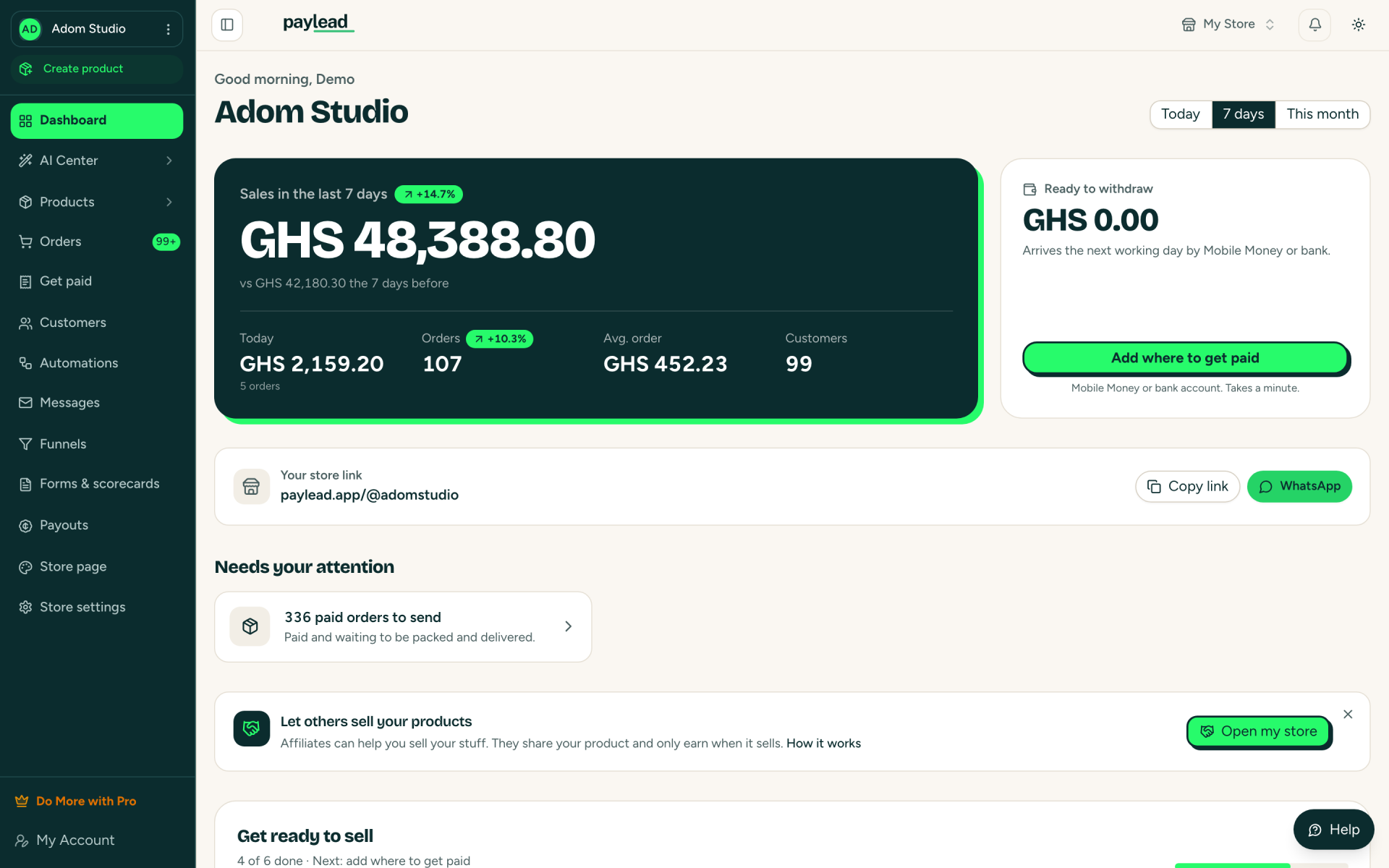
This is the first screen a seller sees after signing in to Paylead. It answers three questions at a glance: how much did I sell, what needs doing, and how much can I withdraw.

What is on the screen
- Sales for today, the last 7 days or this month, compared with the period before.
- Today's sales, the number of orders, the average order and the number of customers.
- "Ready to withdraw": money from sales that can go to a mobile money wallet or bank account. It arrives the next working day.
- The store link, ready to copy or share straight to WhatsApp.
- "Needs your attention": things to act on, such as paid orders waiting to be sent.
Everything else is one tap away
The menu on the left opens products, orders, customers, automations, messages, funnels, forms, payouts and store settings. The AI Center builds sales pages from a short description.
Learn more
More Paylead brand images
Your first sale could land tonight.
Free to start. 4% + GH₵ 1 per sale, or let your buyer pay it. Paid out the next working day.